 Hugh Kinnins
Making a stellar CV is one of the most important and misunderstood ways to get interviews. Many people think that just displaying their qualifications and former jobs is enough. In real life, recruiters and hiring managers look at CVs fast, often under pressure, and usually with the help of automated systems. Regardless of a candidate’s experience, a CV that fails to explain the decision-making process will face challenges.
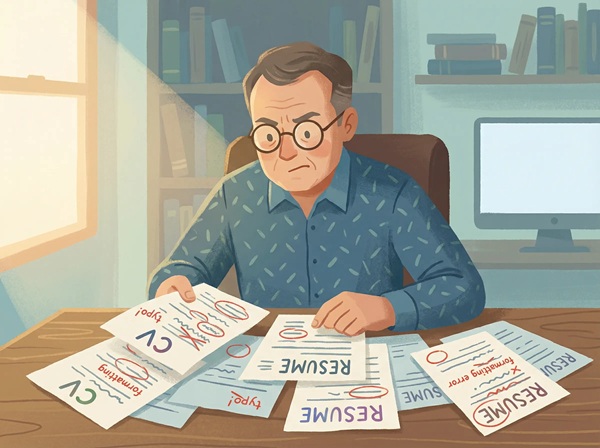
In this article, we will highlight five of the most typical mistakes people make when they write a CV. People at all levels of seniority, sectors, and countries make these blunders. They influence those who are new to the job market, people who have been working for a long time, immigrants, people who want to change careers, and executives. Each section discusses the error, its cause, how it affects your job search, and what to do instead.
Mistake 1: Writing a CV That Is Not Tailored to the Job
Why this mistake is so common
Many people create one CV and use it for every job application. This usually happens for practical reasons. Job searching takes time, and tailoring a CV for each role feels exhausting. Some applicants also believe that employers will intuitively align their experience with the role.
Recruiters do not work that way. Most roles receive dozens or hundreds of applications. Reviewers scan for relevance first. If a CV does not clearly match the role within seconds, it is set aside.
How this mistake hurts your chances
A generic CV often includes:
- Skills that are irrelevant to the role
- Job descriptions that emphasize the wrong responsibilities
- A summary that does not reflect the employer’s needs
- Missing keywords used in the job description
Applicant tracking systems rely on keyword matching. Human reviewers rely on quick judgment. A generic CV performs poorly in both cases.
For instance, if a software tester applies for a quality assurance role but emphasizes their customer service experience, they run the risk of not being considered. The experience may be valuable, but it is not framed in a way that fits the role.
What to do instead
Tailoring does not mean rewriting your CV from scratch each time. It means adjusting focus.
Start by reading the job description carefully. Identify:
- Core responsibilities
- Required skills
- Tools or technologies mentioned repeatedly
- Industry language used by the employer
Then:
- Reorder your skills so the most relevant ones appear first
- Adjust bullet points to emphasize matching experience
- Rewrite your summary to reflect the role you are applying for
- Remove or shorten sections that do not support the application
A tailored CV shows respect for the employer’s time and signals that you understand the role.
Mistake 2: Including Too Much Information
Why people overload their CVs
Many candidates believe that more information equals more credibility. They worry that leaving something out may cost them an opportunity. This fear leads to CVs that list every task, every certificate, every short-term role, and every minor achievement.
The result is a document that is difficult to scan and exhausting to read.
How excess information damages your CV
Recruiters are not looking for a life story. They are looking for proof that you can do the job they are hiring for.
A CV with too much information:
- Buries important achievements under irrelevant details
- Makes it hard to identify your strengths
- Signals poor judgment and lack of prioritization
- Increases the risk of age bias or career confusion
Long paragraphs and dense text blocks are especially damaging. They discourage reading and reduce comprehension.
What to include and what to remove
Every line on your CV should answer one question: Does this help me obtain this job?
Keep:
- Recent and relevant work experience
- Measurable achievements
- Skills directly related to the role
- Certifications required or valued by the employer
Remove or shorten:
- Outdated roles with no relevance
- Routine tasks with no outcome
- Personal details such as marital status or hobbies, unless required
- High school education once you have higher qualifications
Aim for clarity, not completeness. A focused CV is more persuasive than a crowded one.
Mistake 3: Using a Poor CV Format and Layout
Why format is often overlooked
Many candidates focus entirely on content and ignore presentation. Others rely on templates that look attractive but do not function well in recruitment systems. Some try to be creative in ways that undermine readability.
A CV is not a design project. It is a professional document with a clear purpose.
Common formatting problems
Poor formatting often includes:
- Inconsistent fonts and sizes
- Large blocks of text
- Overuse of colors or graphics
- Tables and text boxes that break in ATS systems
- Unclear section headings
- Crowded margins and poor spacing
These issues make CVs harder to scan and, in some cases, unreadable by automated software.
How formatting affects applicant tracking systems
Many companies use ATS software to screen applications. These systems struggle with:
- Columns
- Images
- Icons
- Decorative elements
- Nonstandard headings
A CV that looks impressive to the applicant may appear broken or incomplete to the system.
Best practices for a professional CV layout
Use:
- A clean, single-column layout
- Standard fonts such as Arial, Calibri, or Times New Roman
- Clear section headings
- Bullet points instead of paragraphs
- Consistent spacing and alignment
Avoid:
- Photos unless required by local standards
- Graphics and charts
- Excessive styling
A simple layout ensures that both humans and systems can read your CV without effort.
Mistake 4: Failing to Show Results and Achievements
Why people describe duties instead of results
Many job seekers list responsibilities because that feels safe. Job descriptions are familiar, and copying similar language seems logical. The problem is that responsibilities describe what was expected, not what was achieved.
Employers already know what a job involves. They want to know how well you performed.
Why responsibilities alone are not enough
Two people can hold the same role and deliver very different outcomes. A CV that only lists duties provides no insight into:
- Performance level
- Impact on the organization
- Problem-solving ability
- Growth or progression
Without results, your CV blends into the pile.
How to turn duties into achievements
Achievements focus on outcomes. They answer questions such as:
- What changed because you were there?
- What did you improve?
- What problem did you solve?
- What value did you add?
Use numbers where possible:
- Percentages
- Revenue figures
- Cost savings
- Time reductions
- Growth metrics
Example transformation:
- Duty-focused: Managed social media accounts.
- Achievement-focused: Increased social media engagement by 45 percent over six months through targeted content planning.
Not every role involves sales or revenue. Even administrative and support roles can show impact through efficiency, accuracy, and process improvement.
Mistake 5: Ignoring Errors, Language Quality, and Professional Tone
Why small mistakes have big consequences
Spelling mistakes, grammar errors, and inconsistent language are among the fastest ways to lose credibility. Many candidates underestimate how strongly these errors influence perception.
A CV represents your attention to detail and communication skills. Errors suggest carelessness or lack of professionalism.
Common language-related problems
These include:
- Spelling mistakes
- Grammar errors
- Inconsistent tense usage
- Informal language
- Vague or inflated phrases
- Repetition
Even one visible error can raise doubts, especially for roles that require accuracy or communication.
The risk of unclear or inflated language
Phrases like “results-driven professional” or “dynamic team player” appear so often that they carry little meaning. They take up space without adding value.
Clear, direct language builds trust. Specific examples carry more weight than mere adjectives.
How to improve language quality
Steps to take:
- Proofread your CV multiple times
- Read it aloud to catch awkward phrasing
- Use consistent verb tenses
- Ask someone else to review it
- Use simple, professional language
Avoid exaggeration. Recruiters value honesty and clarity over dramatic claims.
Additional CV Errors Worth Avoiding
While the five mistakes above are the most damaging, several smaller issues also reduce CV effectiveness.
These include:
- Using an unprofessional email address
- Leaving unexplained employment gaps
- Including outdated references such as “references available upon request”
- Listing skills without context or proof
- Submitting the wrong file format
Each detail contributes to the overall impression. A CV should feel intentional, not rushed.
How to Review Your CV Before Submitting
Before sending your CV, ask yourself:
- Is this CV clearly written for this specific job?
- Can a recruiter understand my value within 10 seconds?
- Does every section serve a purpose?
- Are my strongest points easy to find?
- Is the language clear and error-free?
Please change your answers if any of them are no. A CV doesn’t have to be showy to work. It needs to be clear, focused, and useful. Usually, people make blunders on their CVs when they try to impress instead of talk. You have a much better chance of being offered a job if you don’t use generic content, leave out needless information, use a clear structure, focus on your accomplishments, and keep the quality of your language high.
A well-written CV won’t get you a job, but a poorly written one will nearly always get you turned down. Think of it as a professional document that needs to be updated often and with care.
Authoritative sources used in the article:
Indeed — 16 Resume Mistakes and How to Avoid Them
https://www.indeed.com/career-advice/resumes-cover-letters/15-resume-mistakes-to-avoidiCreatives — The 5 Most Common Resume Mistakes to Avoid
https://www.icreatives.com/iblog/the-5-most-common-resume-mistakes-to-avoid/Resume.io — What Not to Put on a Resume
https://resume.io/blog/what-not-to-put-on-a-resumeCareerflow.ai — 13 Common Resume Mistakes to Avoid
https://www.careerflow.ai/blog/avoid-resume-mistakesUNT Career Center — Common Resume Mistakes
https://careercenter.unt.edu/resources/common-resume-mistakes

 Hugh Kinnins